
kOS Studio

kOS Future Tracer

Empowering developers to monitor and troubleshoot asynchronous operations (Futures) in kOS applications
kOS (Coca-Cola Operating System) powers critical infrastructure. In an asynchronous environment, a single "Future" failure can cause a domino effect that is nearly impossible to trace in raw text logs.

I joined as a contract designer to support designing the “Future Tracer” feature within kOS Studio. This feature aims to decrease debugging time by grouping futures by parent operation and mapping their operation time visually.
Product Designer
Cross-Functional team of 9
2023-2024
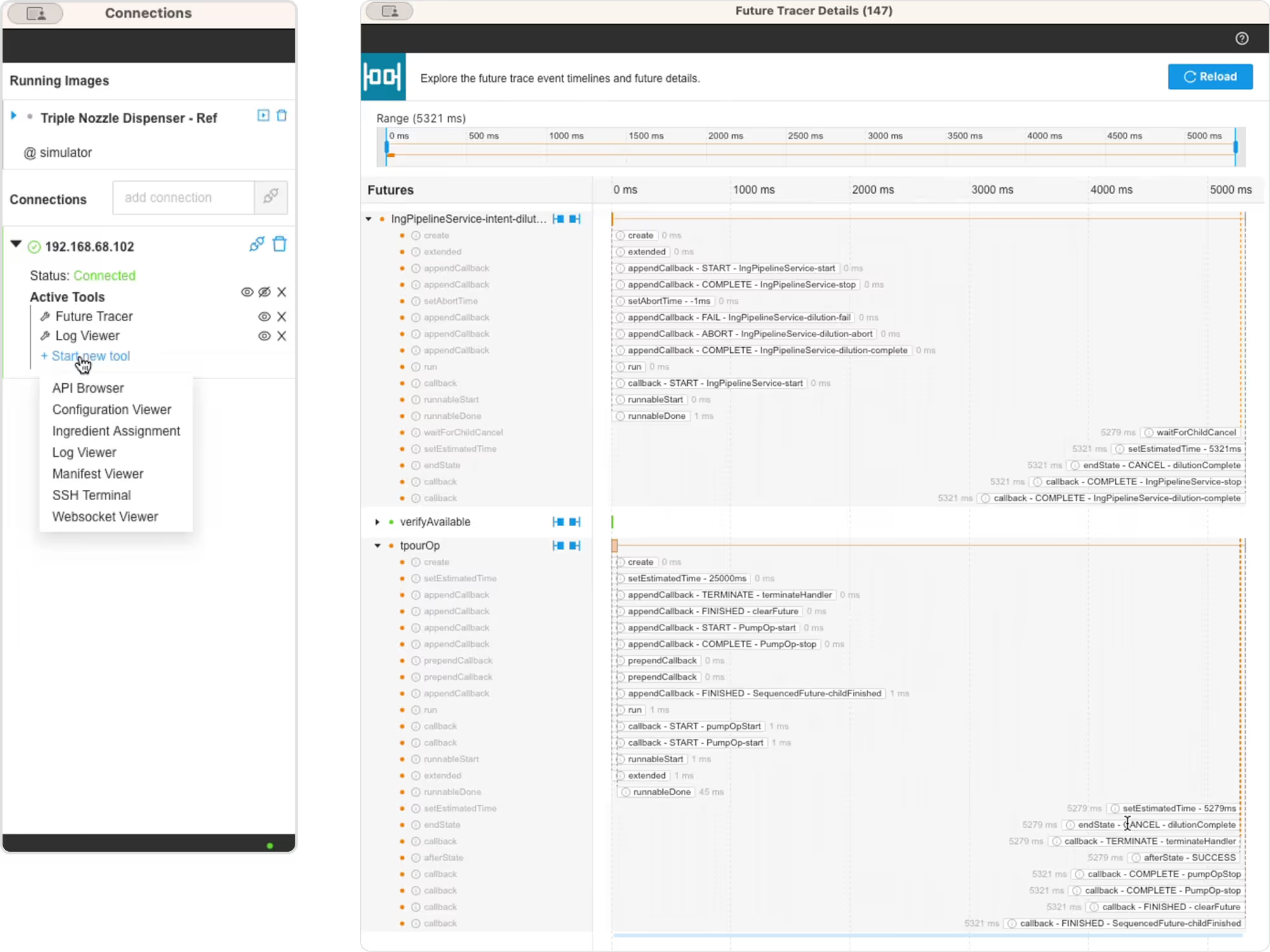
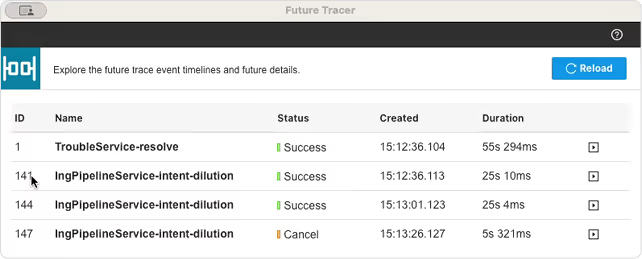
The top-level “Parent Futures” view in action.

The Problem

In kOS development, developers face significant challenges when Futures fail or behave unexpectedly

It is time-consuming to track the flow across nested Futures or multiple nested Futures, as .log files simply display futures in the order they are run
No visibility into timing relationships between parent and child Futures. It is challenging to surface all the subroutines and associated events
Unclear failure points in complex asynchronous workflows
Time-consuming log analysis to reconstruct what happened
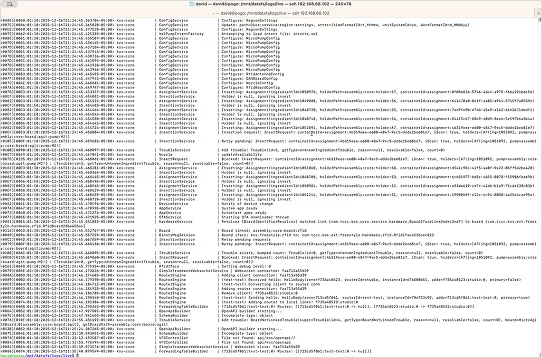
Example of a log file that developers would scrape for errors manually before the future tracer. It could take days to find the error using this method.

Design Solutions

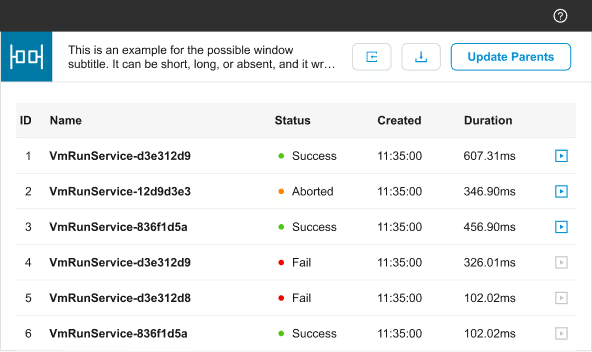
Parent Futures Window

A table-based overview showing all tracked Futures
Unique IDs and descriptive names
Creation timestamps and total duration
Color-coded status indicators (Success, Failed, In Progress, Cancelled, Aborted) for “at-a-glance” monitoring
Refresh capability to load newly tracked Futures
The initial design of the top-level “Parent Futures” view.
Our design team shared the design of a full suite of developer tools for kOS studio. We made sure the future tracer could meet our user needs while conforming to the larger design system and incurring minimal design debt.
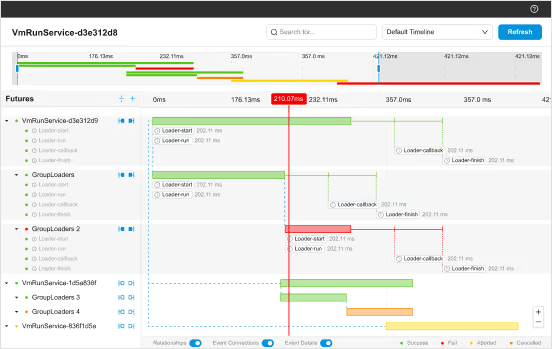
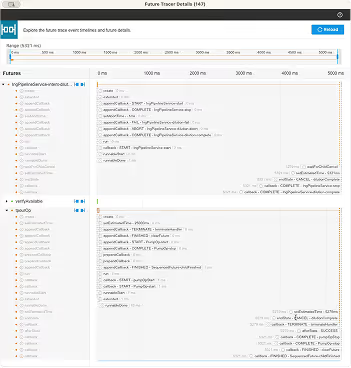
The initial design of the child-level “Future Details” view.

Future Details Window

Visual (Gantt style) timeline showing the lifecycle of the selected Futures. By moving from vertical logs to a horizontal view, developers can perceive the "overlap" of asynchronous tasks
Parent-child Future relationships are displayed hierarchically in the left panel and are expandable. When expanded, they show the events within the selected Future
State transitions and callback executions plotted on a timeline
Interactive time-frame controls to zoom into specific time segments using the hero timeline
Drums icons on left panel control which events are displayed below the selected future before an after the “run-time”

Improvements

Our engineering team were the “master dispenser builders” and acted as our guide for UI development. We had a tight feedback loop with them as they not only developed kOS but also helped global teams troubleshoot their workflows.

Updates for Development

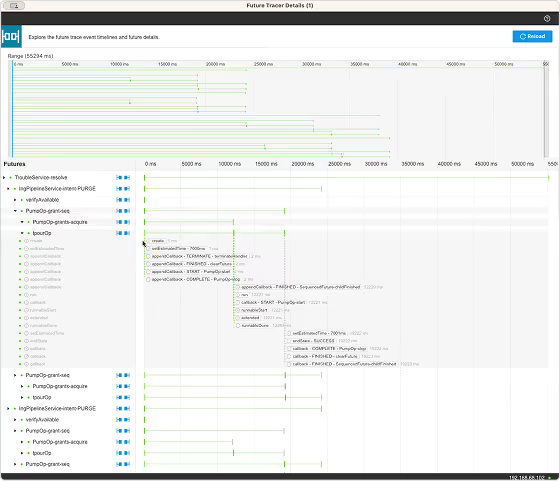
Futures lines were thinned to fit more within the window and decrease the need for scrolling. Run blocks remained thick to assist with event tracking.
The hierarchy in the left panel was strong enough to imply relationships. Removing the connecting lines reduced 'chart junk' and improved the readability of the timeline bars.
Zoom level controls cut because of text limitations.
The red timeline cursor was redundant and distracting.
Event details toggle was a “nice to have” and had issues with shifting UI too greatly between states and was taken out of future iterations.
Search was beyond the development timeline, but is in a planned future release.
The first shipped “Future Details” view. The Parent Futures window stayed largely the same.
For each tool in kOS Studio, we developed user stories and help tool documentation to guide both the development of the tool and the tool’s final use in the field. I worked with the Product manager on the future tracer documentation.

Impact & Results

“This tool has made an otherwise impossible task easy and predictable. What took an entire day now takes minutes.”
-kOS Lead Developer
This tool increased speed of development and drastically decreasing time to debug and minimizing consistent bugs. Easier sharing of error conditions as you can visually show the futures of any specific log. It was expensive to recreate error conditions, so being able to quickly screenshot visualizations of futures largely avoids this need.